796
796
Canopy MLS offers 5 "levels" to describe a residential property - Main, Upper, Third, Lower, and Basement. "Lower" here is defined as the level of a property immediately below the "Main" level. This has, at times, created confusion about the difference between a "basement" level and a "lower" level - particularly if there is one level beneath the Main level and that level is partially below grade rather than entirely below grade.
The North Carolina Real Estate Commission's Residential Square Footage Guildelines defines "below grade" space as:
any level which has living area, is accessible by interior stairs, and has earth adjacent to any exterior wall on that level. If earth is adjacent to any portion of a wall, the entire level is considered “below-grade.”
In order to accurately reflect whether a lower level is above or below grade Canopy MLS has added a field to describe this space. This field will be required when any of the numbers entered for this level are 1 or more:
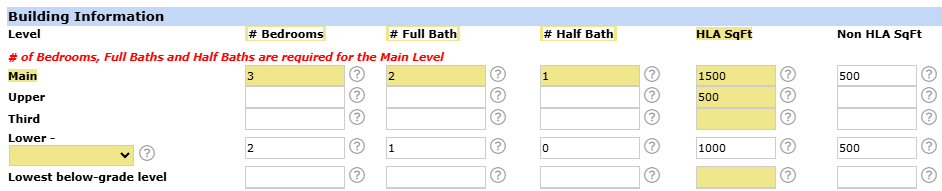
There are three option available to describe the lower level space:
- Entire Level Above Grade
- Split-Level Partially Below-Grade
- Secondary Below-Grade Level
If "Split-Level Partially Below-Grade" is selected, the "Levels" field (also on the "Property Info" tab) must have either "Split Level" or "Tri Level" selected. If "Secondary Below Grade Level" is selected then the "Basement" field (found on the "Features" tab) must include the selection "Multiple Below-Grade Levels". The "Secondary Below Grade Level" should only be used if there are multiple below grade levels (such as a basement with an additional cellar beneath it) are present.
Please note: If only one below grade level is present the "Lowest below-grade level" row should be used instead of the Lower level row.
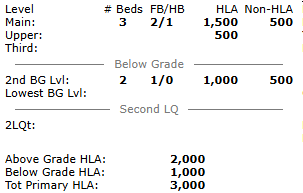
The selection made to describe the lower level will also adjust the "Above Grade HLA" and "Below Grade" HLA values accordingly. The "Agent Full" listing report will also adjust to give a visual representation of the location of this space. Using the example above, below is the section of the Agent Full with each of the three options selected. Notice that the "---Below Grade---" line shifts up or down to delineate the space more clearly, and the "Lower" terminology is updated to reflect the specific selection made in the listing.
Properties with lower levels can come in all shapes and sizes. Below you can see examples of lower levels matching each of the three selections mentioned above.
Entire Level Above Grade:
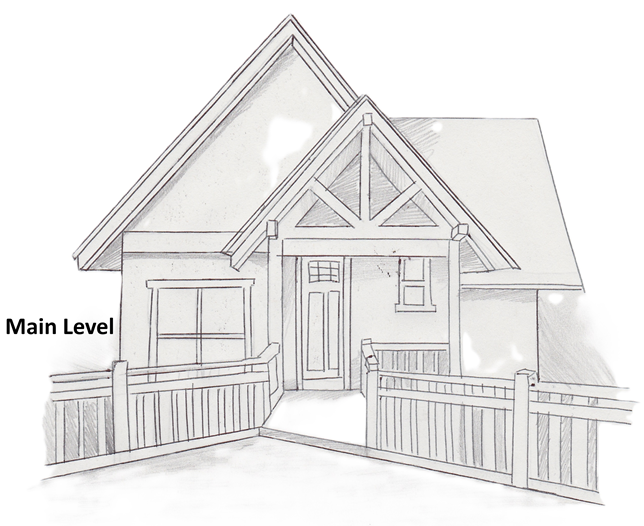
Here you can see the front of a home, where the Main level is above grade and an elevated walkway extends to the front door:
A side view of this home shows a lower level that is entirely above grade, with an additional level beneath that one:
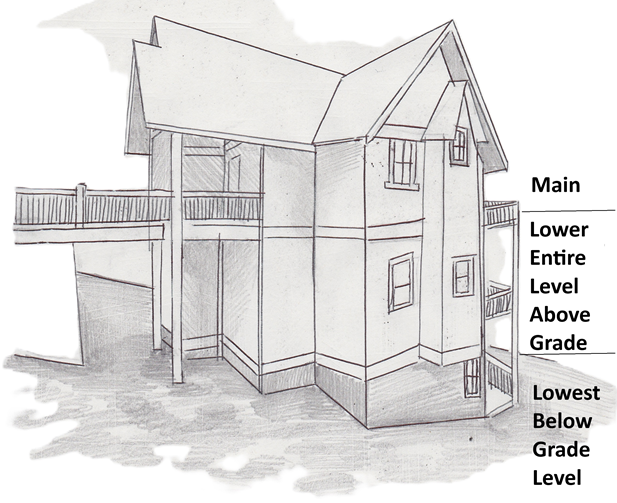
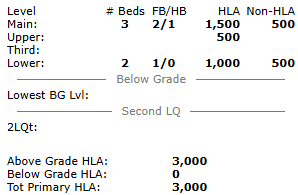
The lowest level of this home will generally be considered the basement level, but is labeled here and throughout the MLS as the "Lowest Below Grade Level" to more specifically define its location in and relation to the rest of the home. When a property is listed with a lower level with "Entire Level Above Grade" the Agent Full listing sheet will show this level above the "Below Grade" divider and will include the Heated Living Area for this level in the "Above Grade HLA" total:
Split-Level Partially Below-Grade:
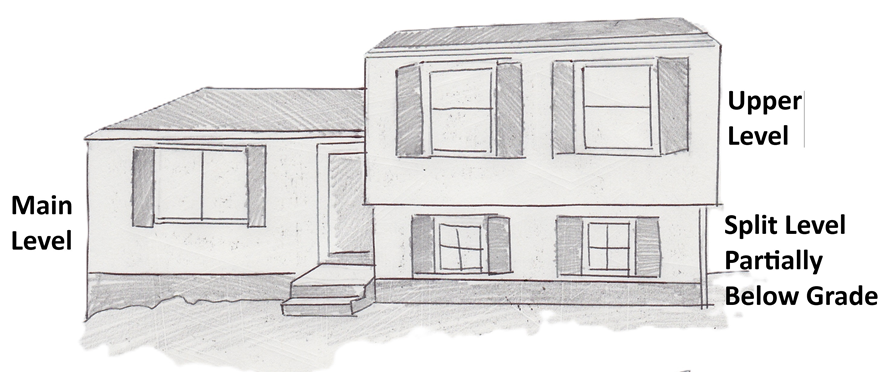
In this example, the main level (as determined by the location of the front door) is above grade, and the two levels on the right are offset from this level by half a story - neither the Upper Level nor the Lower Level is a full story above or below the Main Level. This offset in levels is what defines this home as a "Split Level". Note that the windows of the lower level are even with the entry stairs and only slightly above ground level, indicating that some of this level is below grade.
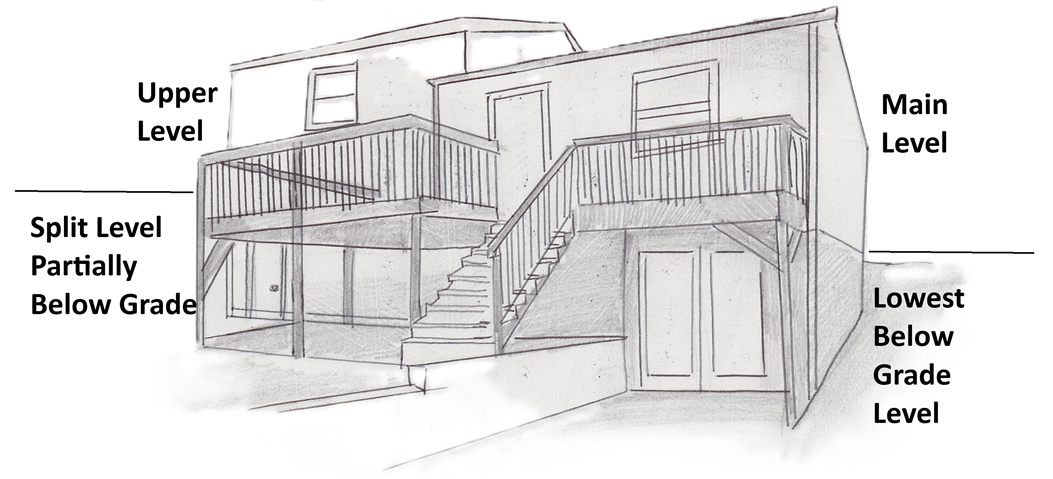
The rear view of this home shows that there is an additional level beneath the Main Level, which is similarly offset from the Lower Level. This view also shows the full height of the lower level, with the exterior door even with ground level while the exterior door for the main level is at the top of the stairs to the deck.
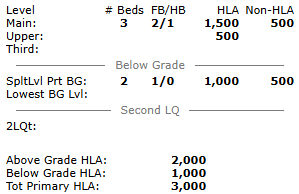
As the lower level of this home is below grade, the "Below Grade" divider moves up to appear above the lower level on the Agent Full listing sheet, and the Heated Living Area for the lower level is included in the "Below Grade HLA" total:
Secondary Below-Grade Level:
The front view of this home shows a "standard" two story home, with the main and upper levels both above grade:
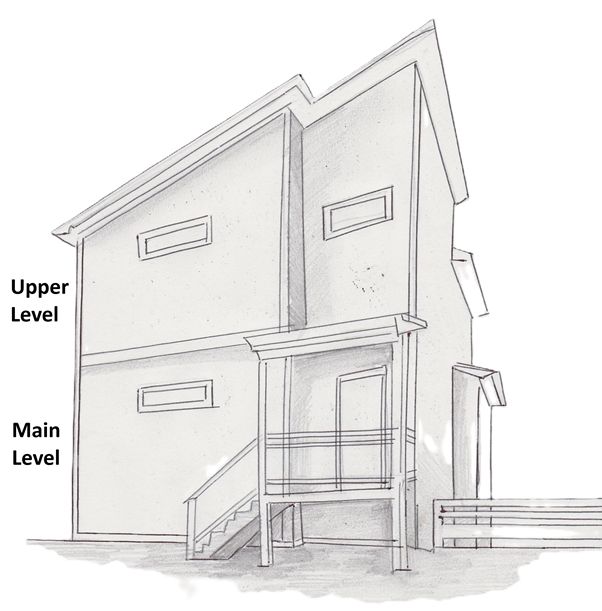
The rear view of this property shows that the home extends down two full stories. Unlike the split level example above, the entire lower level is directly beneath the main level, and the lowest below grade level (the basement) is fully beneath the lower level - and both of these levels are below grade:
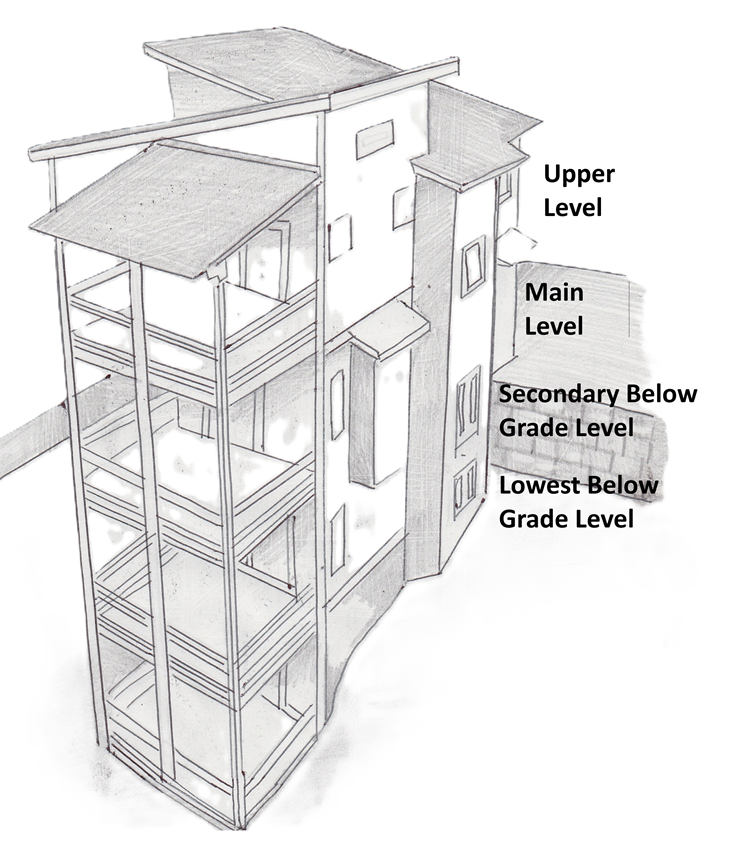
As with the split level example above, the "Below Grade" divider will appear above the lower level, and the Heated Living Area is included in the "Below Grade HLA" totals: