What to do when the Selling Agent is not a member of Canopy MLS

Feb 13, 2026
 87
87
When changing a listing in Canopy MLS to Under Contract or Closed status, you will be asked to include the MLS ID of the Selling Agent. Occasionally the selling agent you're working with to close the sale may have an active real estate license, but they aren't an active member of Canopy MLS.
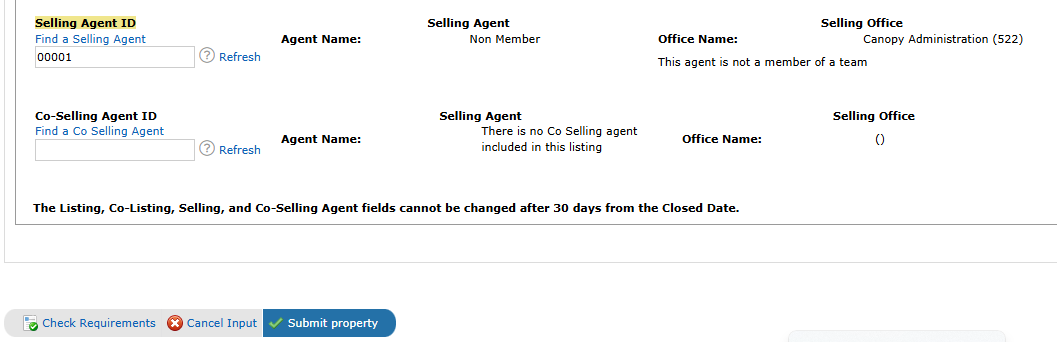
In this situation you can put 00001 in the selling agent field to show the buyers/selling agent isn't a member of Canopy MLS. The buyers/selling agent information will then read as a Non- Member and the selling office will be Canopy Administration.